
ToonApp AI+ Viral Photo Maker
Lyrebird StudioPhotography
4.42.73K Reviews
- Version
- 1.0.30
- Installs
- 100.00K
- Age Rating
- Everyone
Screenshots
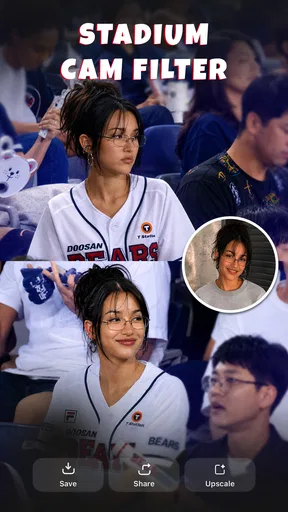
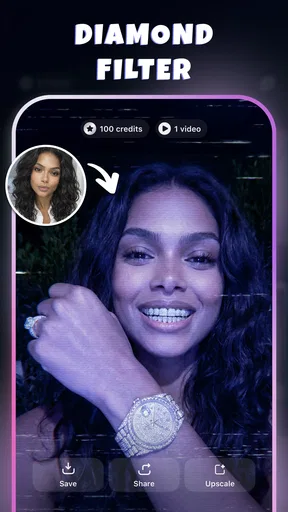
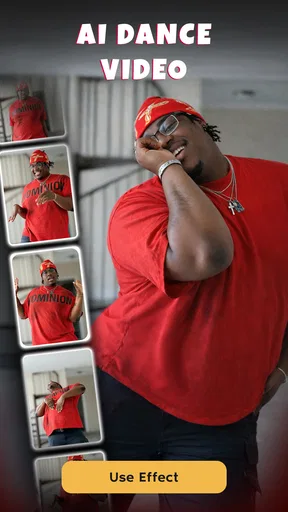
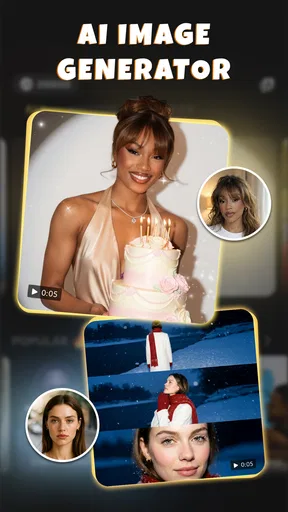
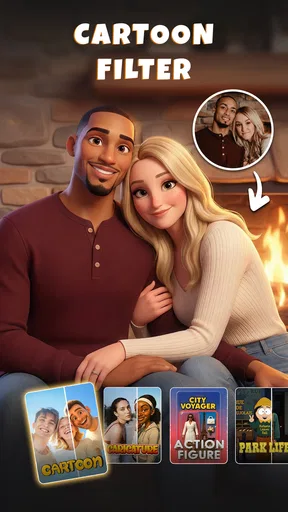
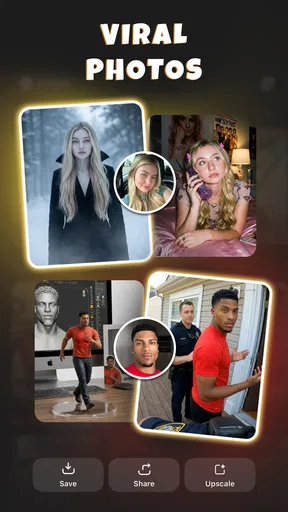
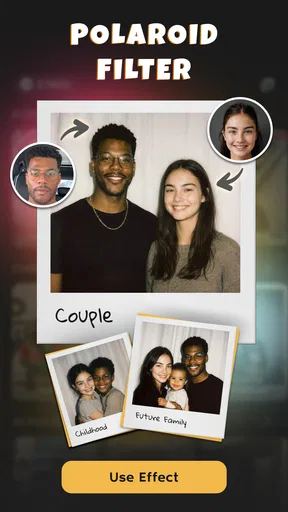
Our Review of ToonApp AI+ Viral Photo Maker
 Analysis by Appyee
I judge a photo app not only by whether its filters look amusing, but by how easily different people can use it in ordinary situations. ToonApp AI+ is designed around turning portraits into playful illustrations, so its appeal is immediate: you can start with a familiar photo and see it transformed without needing to learn a full editing suite. That focused idea makes it approachable, though it also means the app is best suited to people who want a quick creative result rather than detailed control over every part of an image.
Getting Started with ToonApp AI+
The first thing I noticed when opening ToonApp AI+ is how user-friendly it is. As soon as you launch it, you're greeted with a sleek, intuitive interface. No long-winded tutorials or complicated settings. Just simple, clean, and to the point.
That simple entry point matters when someone has limited experience with photo editors or would rather not navigate layers and technical controls. The app is a photography tool from Lyrebird Studio, and its current version is 1.0.11. It is free to install, with in-app purchases ranging from $7.99 to $69.99 per item. I would treat that range as a reason to check purchase details carefully before committing, rather than assuming every effect or editing option is included at no cost.
To get started, you simply upload a photo from your gallery or snap a new one directly in the app. The app quickly works its magic, transforming your image into a cartoon version with just a tap. The speed at which it processes the images is impressive, saving you from impatiently waiting for the results.
Features that Stand Out
One of the standout features of this app is its AI technology. The app uses advanced algorithms to ensure that the cartoon versions of your photos are not only cute but also maintain the essence of the original image. It captures facial expressions and details with surprising accuracy.
- Wide Variety of Filters: From classic cartoons to more modern anime styles, the range of filters lets you customize your photos to your heart's content.
- Background Options: You can change up the background of your photos, adding a touch of fantasy or whimsy to your creations.
- Easy Sharing: Directly share your creations to social media platforms like Instagram, Facebook, and more with just a couple of taps.
Moreover, the app offers additional editing tools, allowing you to tweak aspects like brightness, contrast, and more. This means you can polish your cartoons even further before sharing them with the world.
Making a Portrait Work Before You Choose a Filter
The result depends a lot on the photo you start with. For a clean cartoon portrait, I would choose a picture with one clearly visible face, even lighting, and enough space around the head. A strong shadow across the eyes, a very busy background, or several people close together can make the transformation less predictable. If the first result feels off, trying another photo is often more useful than repeatedly adjusting brightness on the same one.
A practical workflow is to keep the original image, make the cartoon version, then compare them before sharing. That small pause helps catch details that look charming at first but become distracting at thumbnail size. It also lets you decide whether the background treatment suits the intended use: a lively social post can handle a whimsical scene, while a profile image may look clearer with less visual competition.
The editing controls are useful for modest finishing touches, but I would not approach them as a substitute for a dedicated photo editor. If the face is poorly lit or the framing is awkward, basic brightness and contrast adjustments may not rescue it. I see the strongest use for these tools as refining an already suitable portrait, not repairing every weakness in the source photo.
Readability, Navigation, and Different Abilities
The straightforward flow is a genuine advantage for people who find feature-heavy editors tiring. Choosing a photo and moving toward a stylized result is easier to understand than a workspace packed with sliders, layers, and unfamiliar terms. That does not automatically make every screen comfortable for every user, but the focused task gives newcomers fewer concepts to learn at once.
There is also a trade-off in keeping things simple: people who want precise control over facial details, crop boundaries, or individual background elements may find the experience limiting. I would not choose this as my main tool for careful retouching or a professional illustration workflow. Its value is in making a playful transformation accessible without asking the user to become an editor first.
For visual comfort, I recommend checking the original and finished image at a size that is easy to inspect rather than relying only on a tiny preview. People who are sensitive to busy imagery may prefer a simpler portrait and a less elaborate result. If operating a phone is difficult because of limited dexterity, the short editing path may help, but small touch targets or precise adjustments can still be frustrating; using a larger device, where available, may make the overall task more comfortable.
Everyday Uses and When Another App Is Better
Imagine taking a clear selfie before meeting friends, then wanting a playful version for a group chat without spending the evening editing. This is the kind of low-stakes moment where the app makes sense: choose the photo, try a style, make a small adjustment, and share only if the result feels right. It can also make a lighthearted birthday greeting or a matching set of profile pictures more personal, provided everyone pictured is comfortable with the image being transformed and shared.
Compared with a general-purpose photo editor, this app puts cartoon effects at the center instead of offering broad control over color correction, compositing, or detailed retouching. Compared with manually drawing an avatar, it is a faster route from an existing portrait to an illustrated look, but it offers less control over the final design. If your priority is precise photo repair, a conventional editor is the better fit; if you want a deliberately stylized portrait with minimal effort, ToonApp is more directly suited to that job.
It is also worth thinking about where you will use the image. A dramatic cartoon can be fun in a social feed but may not be appropriate for a formal profile, work document, or any situation where a faithful likeness matters. I would keep the original available and use the stylized version as an optional creative alternative, rather than treating it as a replacement for a natural portrait.
Why ToonApp AI+ is a Game Changer
Let’s be honest, there are tons of photo editing apps out there, but ToonApp AI+ sets itself apart with its ease of use and quality results. The cartoon trend is huge right now, and this app taps into that perfectly. It’s not just about creating silly images; it’s about producing artwork that you’ll be proud to show off.
Another aspect worth mentioning is the app’s community engagement. Users can participate in weekly challenges and showcase their creations within the app, creating a lively and creative community.
The community element may suit someone who enjoys prompts and seeing how others interpret a creative theme. If you prefer to make images privately, it is easy to focus on the editing itself and treat sharing as optional. I would think about the audience before posting a portrait, especially when it includes friends or family: a funny filter does not remove the need to respect the people in the photo.
For someone deciding whether the app is worth trying, its audience is fairly clear. It is a good match for casual creators, people who enjoy cartoon portraits, and anyone who wants to prepare a quick visual for a message or social post. It is less compelling for users who rarely work with faces, dislike stylized effects, or need reliable fine-grained editing. The store rating is 4.7 from around 1.5 thousand ratings, and it has over 10 thousand installs, which suggests an established audience, though those figures alone cannot tell you whether its particular style will suit your taste.
Situational Access and Remaining Friction
ToonApp is most convenient when you have a suitable portrait already on your phone and a little time to compare results. In a dim room, while moving, or when taking a quick group photo, the source image may be less useful; I would save the transformation for later rather than expect a rushed capture to produce the best outcome. Choosing from the gallery also gives you a chance to select a clearer image without needing to retake it immediately.
The app is rated for Everyone and requires Android 9 or later. That gives Android users a practical compatibility check before installing, while the age rating indicates a broad audience classification rather than a guarantee that every effect or sharing choice suits every family. The app is free to install, but the available in-app purchases mean I would check the purchase screen before tapping through, particularly if a child is using the phone.
One limitation of a quick, effect-led editor is that convenience can encourage people to accept the first result. I suggest checking facial expression, edges, and background before saving or sharing, especially when the image is intended to represent someone publicly. Another friction point is that the app’s focused style is not a universal solution: a user who needs a natural-looking headshot, detailed accessibility adjustments, or a carefully controlled composite will likely be happier elsewhere.
Final Thoughts
In my experience, ToonApp AI+ is more than just a novelty app. It offers a genuinely fun way to express yourself and experiment with your photos. Whether you're looking to jazz up your social media presence or just have a bit of fun, this app is definitely worth a download.
It's free to try, with some in-app purchases for additional features, but even the free version offers plenty of functionality. So, if you haven’t tried it yet, give it a shot. Transform your photos and join the cartoon craze. You might find yourself spending more time on it than you expected!
My inclusive verdict is that the app’s clear, portrait-first purpose lowers the learning barrier, while its dependence on visual previews and touch-based choices may not suit everyone equally. I would recommend it to people who want a light, expressive change to a photo and are comfortable judging the result on screen. If accessibility needs, precision, or a natural finish are your main priorities, a more adjustable general editor is the safer choice. For a quick cartoon portrait, though, it offers an approachable creative option without demanding a complicated workflow.
Verdict
Strengths of ToonApp AI+ Viral Photo Maker
- Intuitive interface for easy navigation.
- High-quality AI-generated effects.
- Quick processing and exporting of images.
- Wide range of filters for creativity.
- Frequent updates with new features.
Limitations of ToonApp AI+ Viral Photo Maker
- Limited free features; many require purchase.
- Occasional glitches in AI rendering.
- Large file size may take up storage.
- Requires a stable internet connection.
- Ads can be intrusive in free version.
Other Releases by Lyrebird Studio
View All
Toonapp: Cartoon Photo Editor
Photography4.5

FaceLab: Future Face Aging App
Photography3.8
Similar Picks in This Category
View All
Google Photos
Google LLC4.4

Gallery
Google LLC4.2

Picsart AI Photo Editor, Video
PicsArt, Inc.3.9

B612 AI Photo&Video Editor
SNOW Corporation4.1

BeautyPlus-Selfie Photo Editor
PIXOCIAL TECHNOLOGY (SINGAPORE) PTE. LTD.4.5

Remini - AI Photo Enhancer
Bending Spoons4.1
Frequently Asked Questions
What features does ToonApp AI+ Viral Photo Maker offer?
ToonApp AI+ Viral Photo Maker provides a range of features including AI-powered cartoon effects, background changer, and a variety of filters to enhance your photos. It also includes a one-tap transformation tool to convert your selfies into cartoon characters and allows you to share your creations directly to social media platforms.
Is ToonApp AI+ available for both Android and iOS?
Yes, ToonApp AI+ Viral Photo Maker is available for download on both Android and iOS devices. You can find it on the Google Play Store for Android users and the Apple App Store for iOS users. The application is designed to work seamlessly across both operating systems, providing a similar user experience.
Are there any in-app purchases or subscription fees?
ToonApp AI+ offers a free version with basic features, but it also includes in-app purchases and subscription plans for premium features. The premium version unlocks additional filters, effects, and ad-free experience. Users can choose a monthly or yearly subscription based on their needs and budget.
How does ToonApp AI+ handle user privacy and data security?
ToonApp AI+ takes user privacy seriously by implementing robust security measures. The app requires access to your photos and gallery for editing purposes, but it does not store or share personal data without consent. Users are encouraged to review the app’s privacy policy for detailed information on data handling practices.
Can I use ToonApp AI+ without an internet connection?
While some features of ToonApp AI+ may work offline, an internet connection is generally required to access all functionalities, including downloading new filters and sharing your creations online. To ensure the best experience, it's recommended to use the app with a stable internet connection.
